One place for retailers to manage thousands of product images

Overview

ORE (Ocutag Retail Execution) Manage Products is a web app for Ricoh Innovations. It reads product data from CSV files into a cloud database, so retailers can upload in bulk, track versions and facings, and spot missing or expiring products.

My role

UX strategy, research and visual design

Client

Ricoh Innovations

Timeline

28 days

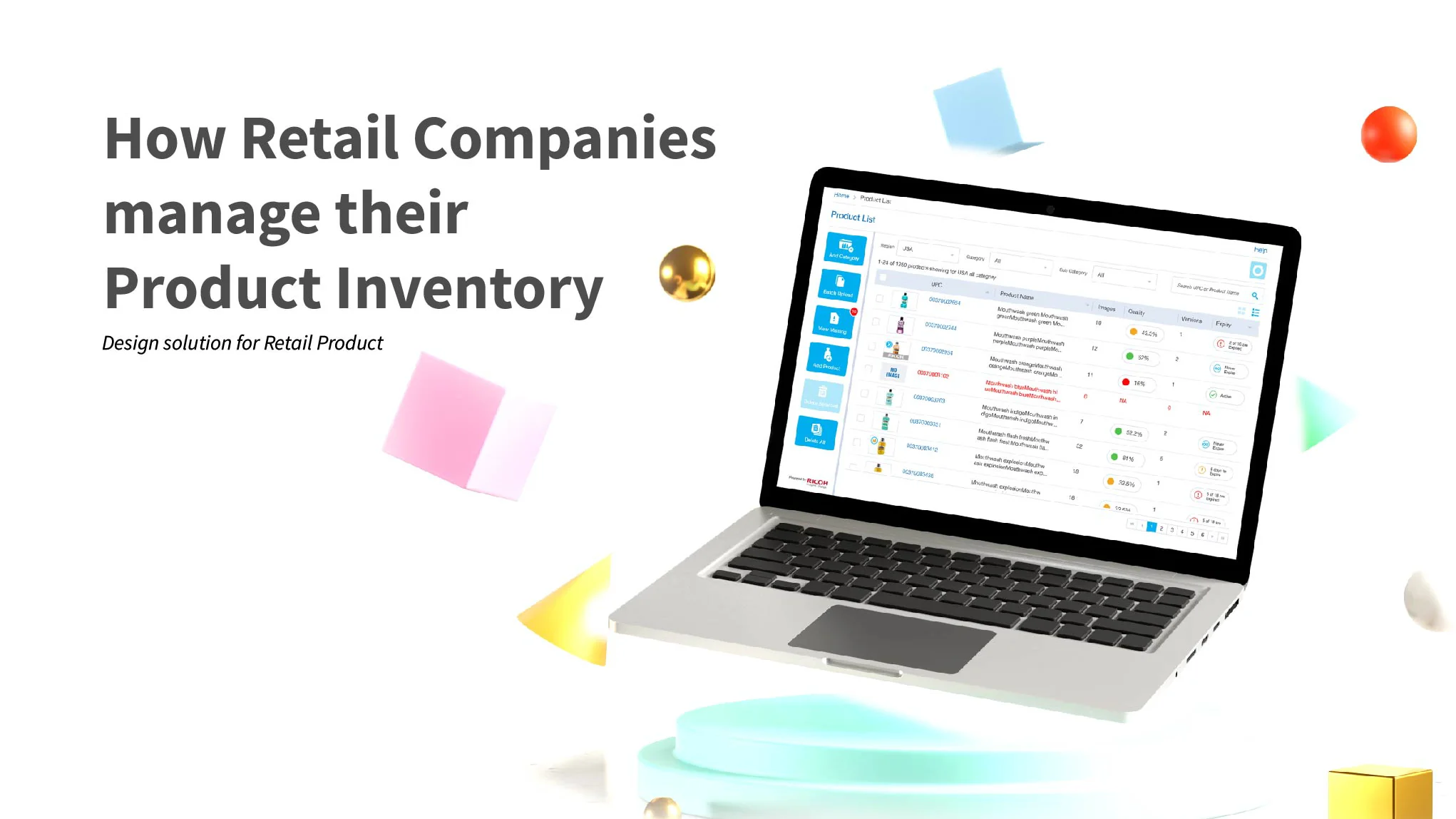
Laptop showing the Manage Product list, next to the title How Retail Companies manage their Product Inventory

Impact overview

Speed

28 days from ideation to pixel-perfect designs

Testing

3 users tested: 1 product head and 2 daily uploaders

Tasks

4 core tasks validated: bulk upload, add, manage and delete

The 30 second version.

Summary

How I turned a manual, Excel based product inventory into a web app.

The software reads product data (UPC, name, dimensions, category, versions and facings) from a CSV file and pushes it to the cloud, so retailers can see and track every product in one place.

I owned the user experience from ideation to pixel-perfect designs: interviews, persona, empathy map, user flow, wireframes, user testing and the final UI.

The challenge: replace a manual Excel process with a system that handles large uploads and many users.

The challenge

Retailers kept their product inventory in Excel. The manual process was slow, expensive and open to errors, and there was no research or existing solution to build on.

  • Manage products, categories, subcategories and versions without effort, for limited user groups.
  • Support large bulk uploads and many users with different jobs.
  • Respond quickly, and flag promotions and product expiry dates.

The goal: a web app that lets retailers and service providers track product images and manage inventory in one place.


Research

There are two kinds of users: retailers who own the products, and service providers. I interviewed them about how they track inventory, their daily process, what data they capture for products, versions and facings, how they handle missing images, and how comfortable they are with technology.

Meet the user

Jamey wants his inventory out of Excel

22 years in retail, ambitious, and tired of a manual process that costs him time and money.

Jamey Graham, 45

Product head · Palo Alto, California

In the age of the consumer, achieving customer satisfaction and engagement is more challenging than ever. Consumers are super informed. They want to know everything, and in real time.

Bio

Product head in the retail industry with more than 22 years of experience. He wants a system that’s easy to use, helps him track inventory whenever he needs to, and keeps him aware of products in the market.

Pain points

  • The manual process takes a lot of time and money.
  • Adding or removing a product is a hassle.
  • He can’t tell when products expire.

Why he’d use it

  • Track products in one place.
  • Group products by versions and facings.
  • Check whether products are still valid in the market.
  • Keep product information secure.
  • Move to a more organised process.

What drives him

Business growth
Time
Convenience

Technology

IT and internet
Software
Mobile apps
Social networks

Personality

IntrovertExtrovert
AnalyticalCreative
LoyalFickle
PassiveActive
Empathy map

What Jamey says, does, thinks and feels

Says

  • “Our inventory process is manual.”
  • “Someone is assigned just to inventory.”
  • “I want a secure, effortless way to manage products.”

Does

  • Keeps product inventory in Excel.
  • Removes products when they expire.
  • Hunts for products with missing images.

Thinks

  • Many users’ data should come together in one place.
  • It should support multiple uploads.
  • He needs a proper system for product inventory.

Feels

  • Keeping inventory up to date is cumbersome.
  • He wants a secure, effortless solution.

Key insights

What the interviews told me.

  • Bulk is the norm. Retailers upload thousands of products at once and need to track each action.
  • Search by region and category. And flag expiry and image quality while searching.
  • Structure matters. Products, versions and facings need a clear hierarchy.

Flow and wireframes

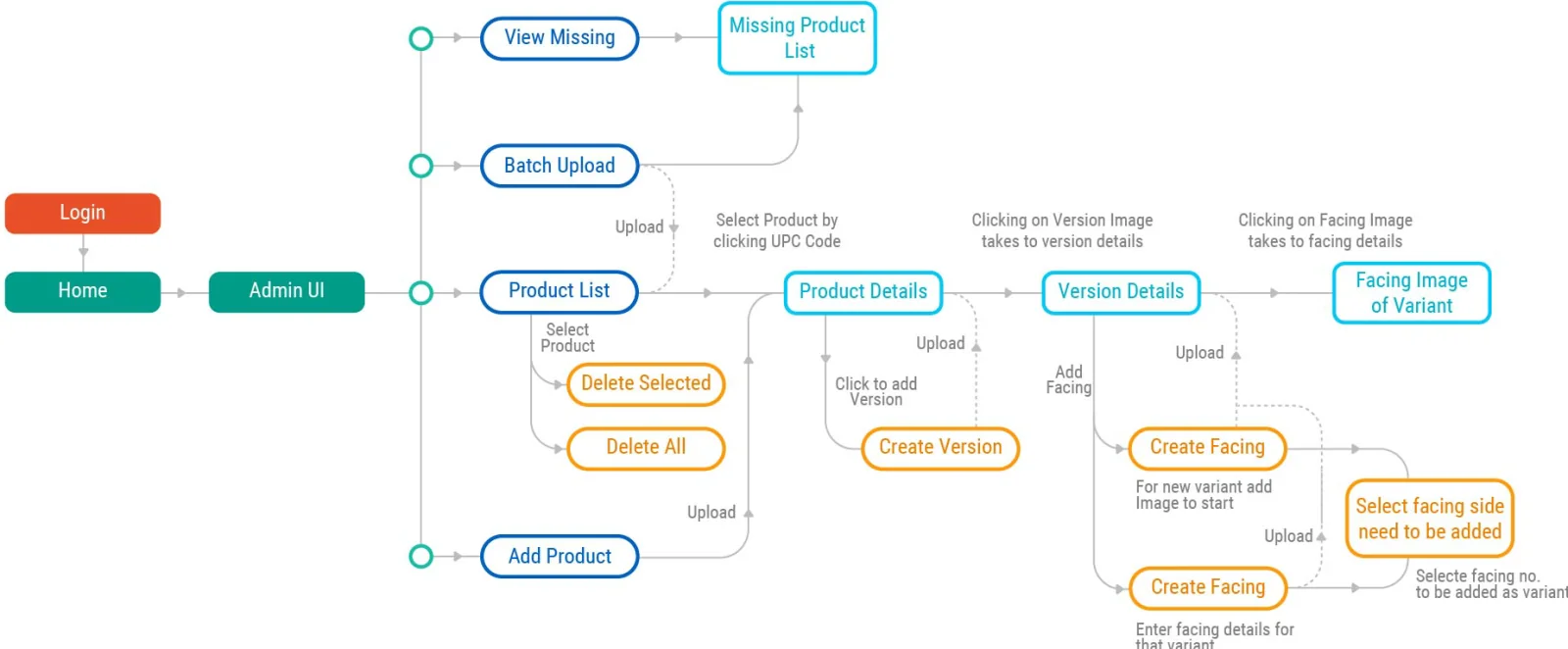
I mapped the user flow from login to product list, product details, versions and facings, then drew paper outlines and whiteboard flows before the first wireframes.

User flow from login to admin UI, product list, product details, version details and facings

User flow

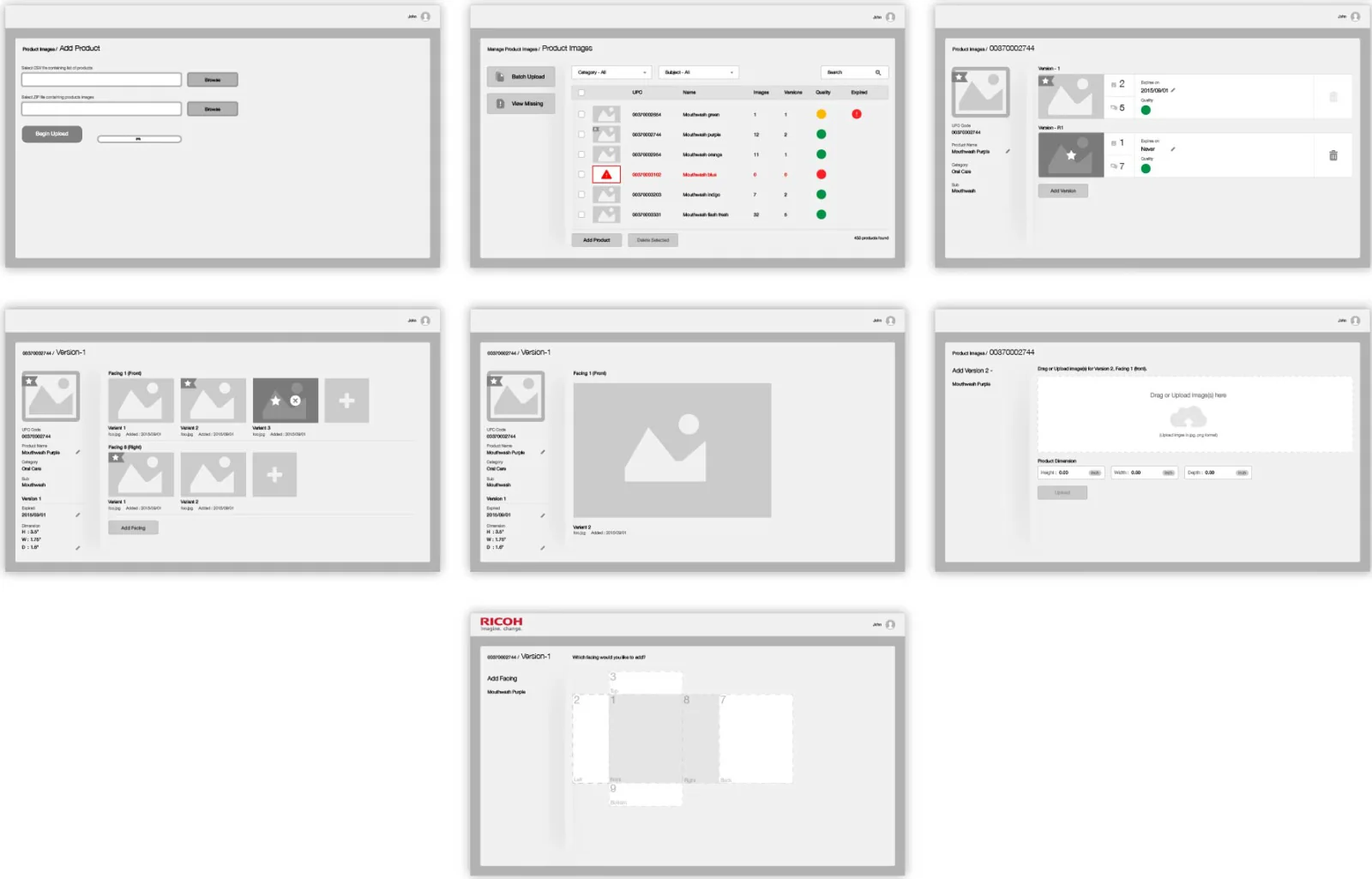
Seven wireframes from adding a product to adding a facing

Wireframes


User testing

With the product head’s help I tested with 3 people: 1 product head and 2 internal users who upload products every day. They went through 4 tasks: bulk upload, adding a product with versions and facings, managing inventory and deleting products.

  • The dashboard felt clean and easy to understand.
  • Global buttons needed more emphasis.
  • Users wanted to upload from Google Drive, Dropbox or OneDrive, not only the local drive.
  • During bulk uploads they wanted to see each file’s status: error, success or failure, and a notification when done.
  • Search should auto-suggest and need as few fields as possible.
  • The image quality indicator helped them prioritise across thousands of products.

Final designs

I explored a few themes following Human Interface Guidelines and chose the one that fit the product best. The final UI puts the product list, search and an upload tracker on one screen.

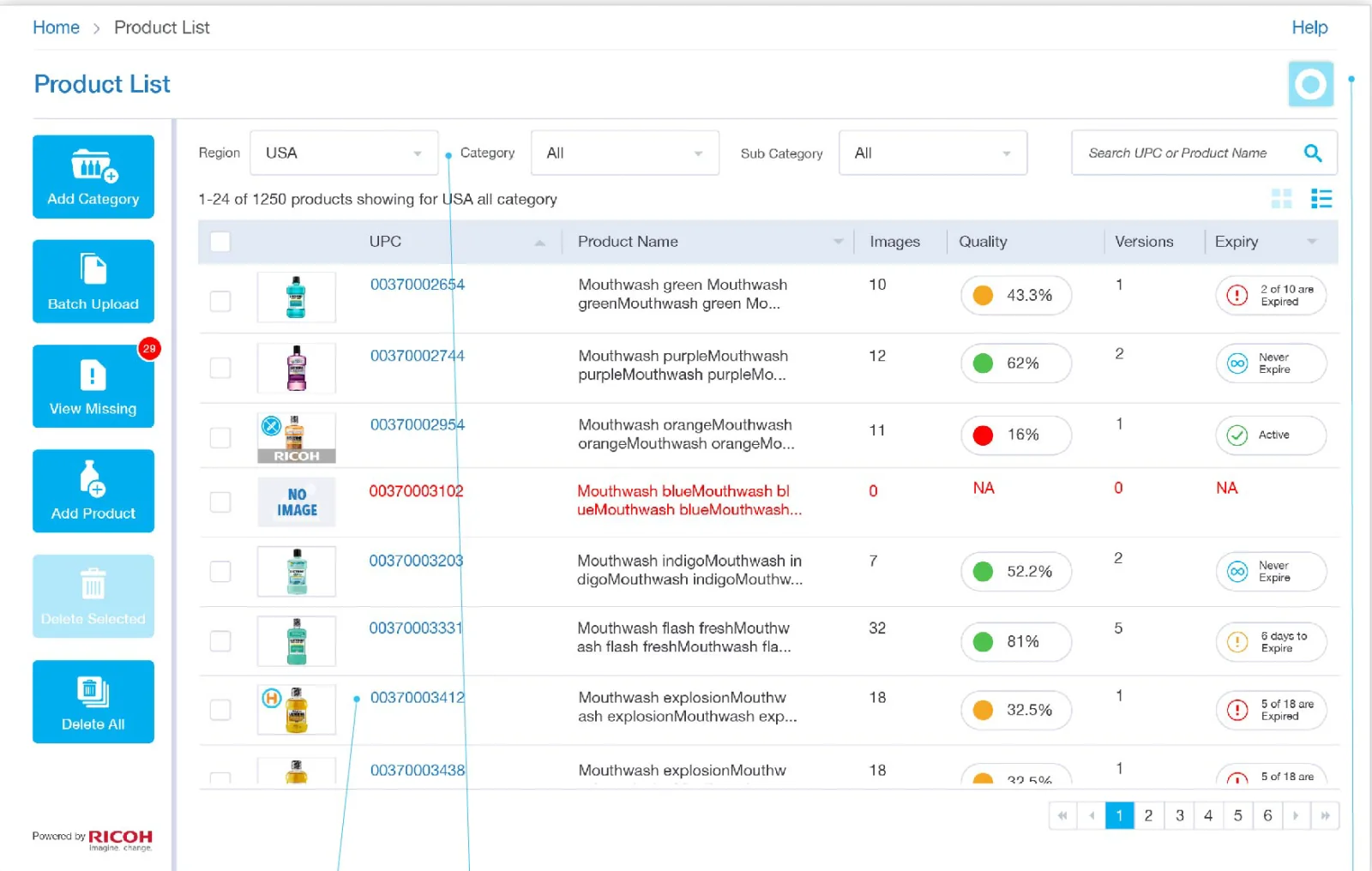
Product list with image count, quality score, versions and expiry, plus search by region and category

Product list, search and upload tracker

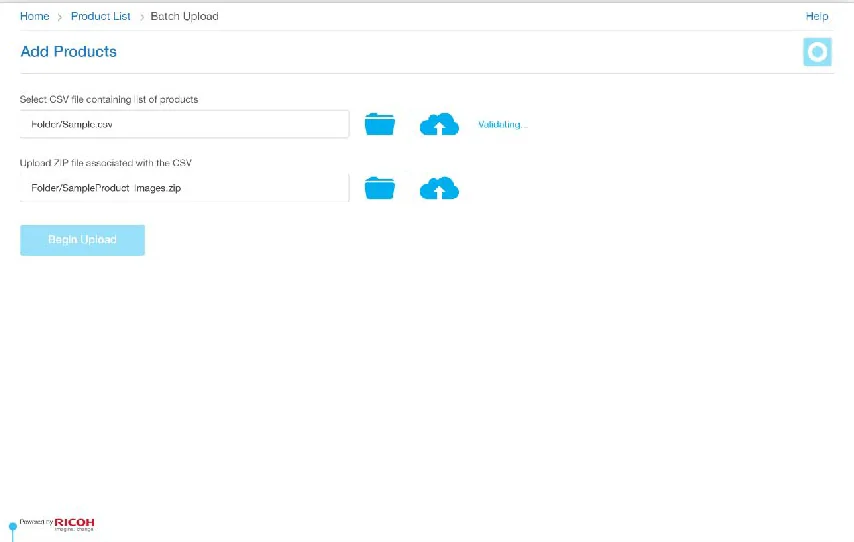
Add products screen for CSV and ZIP files from local or cloud storage
Bulk upload from local or cloud storage
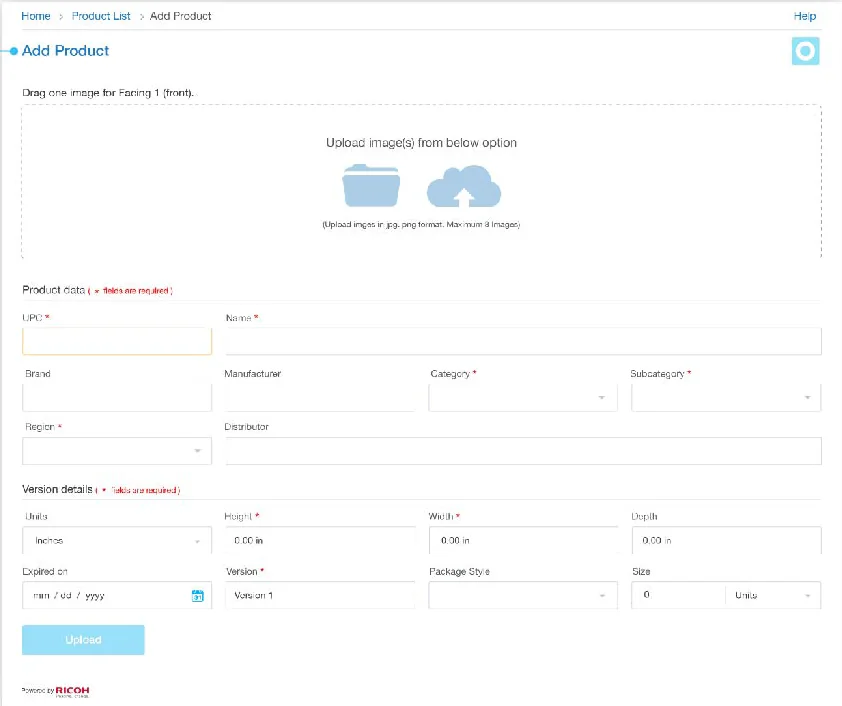
Add product form with image upload and product fields
Add a single product
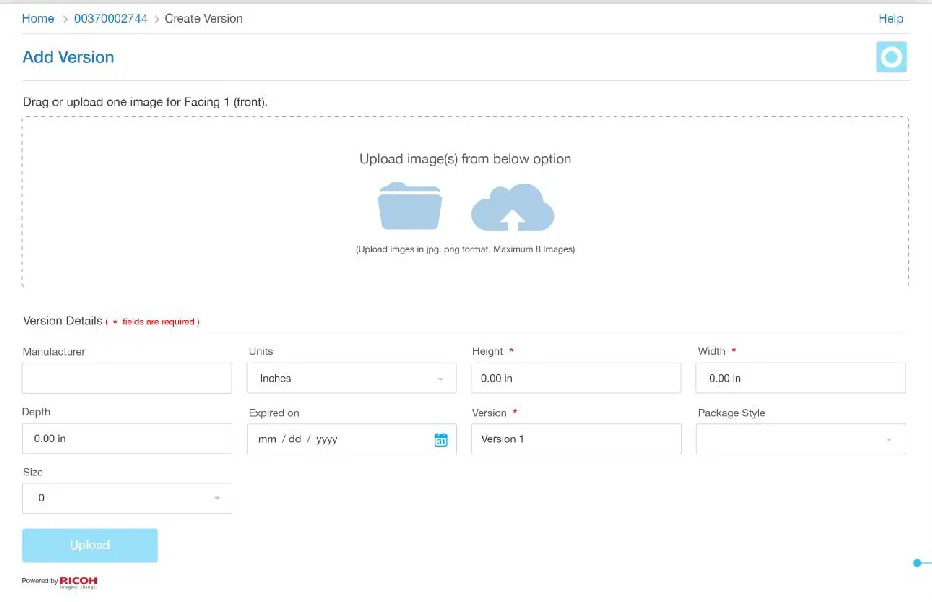
Add version form with dimensions and expiry date
Add a product version
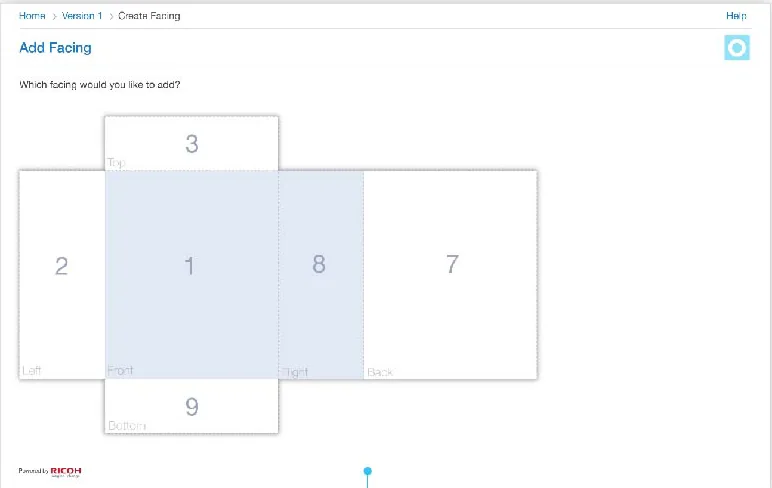
Facing picker showing numbered sides of a product box
Pick a facing by its numbered side
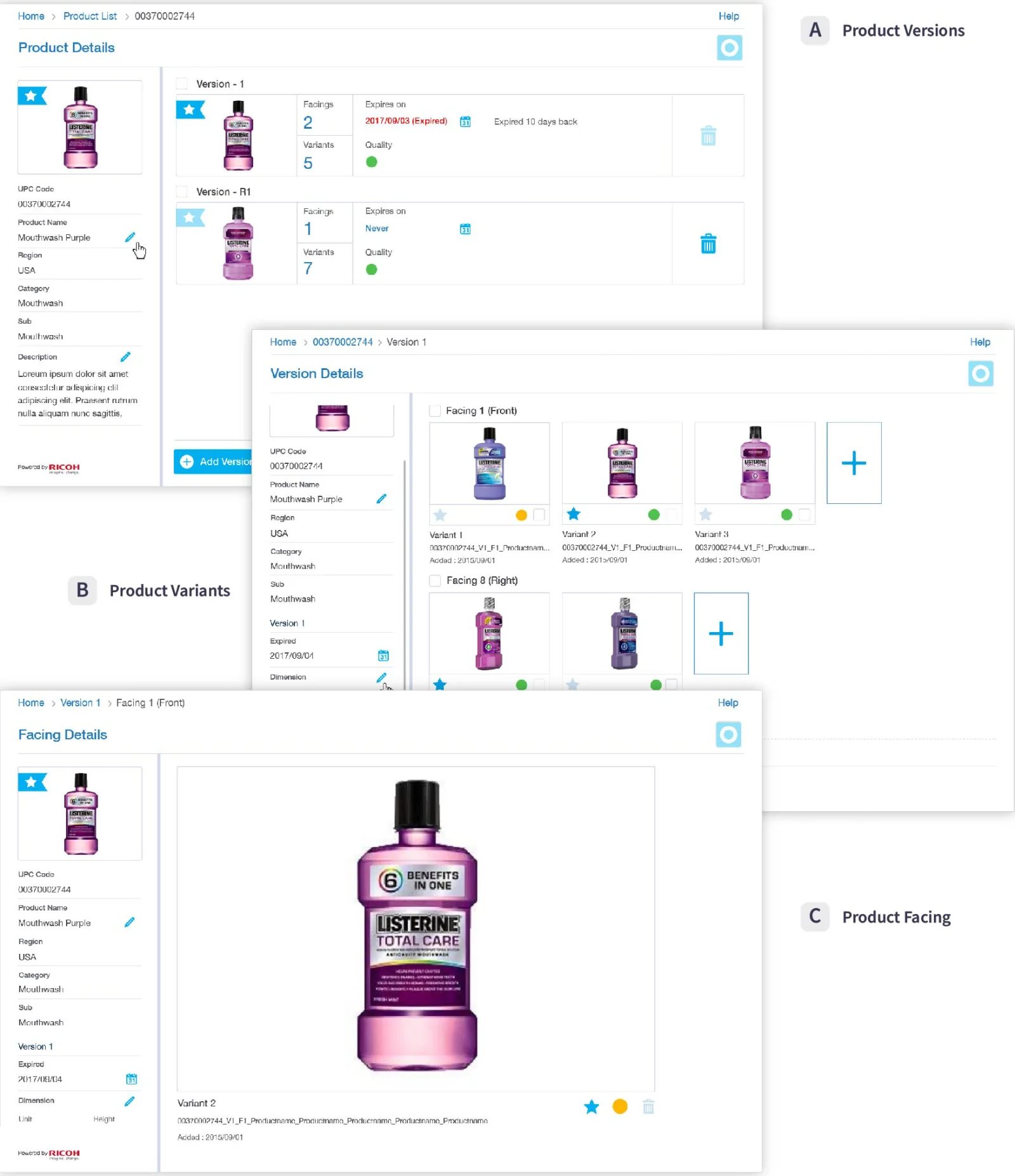
Three overlapping screens: product details, version details and facing details

Product versions, variants and facings

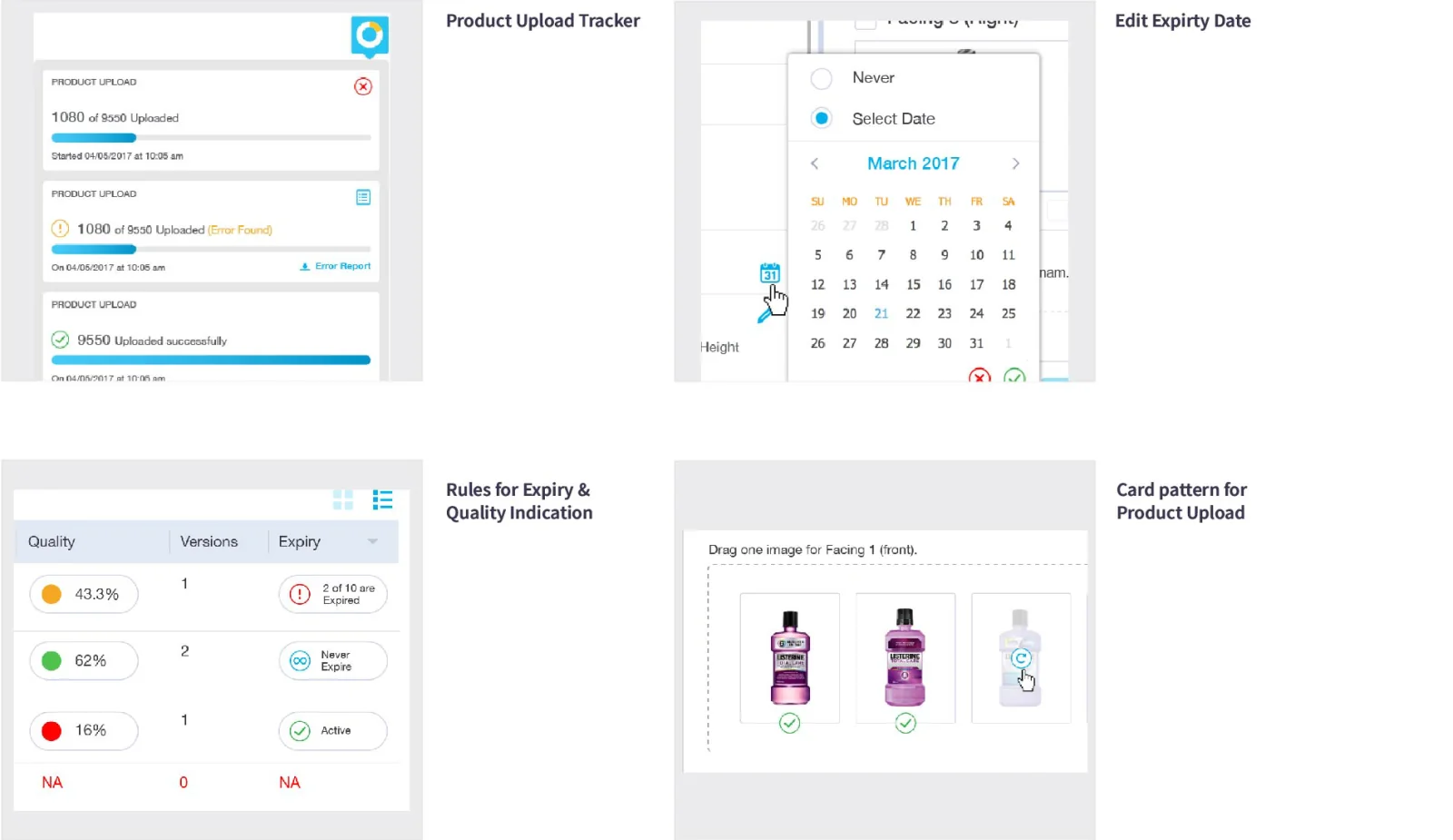
Design patterns: upload tracker, expiry date picker, expiry and quality rules, and upload cards

Design patterns


What testing taught me

  • Upload from where files already live: cloud drives, not only the local disk.
  • Long-running work needs visible status. Track every upload and notify when it’s done.
  • A small quality indicator can be the fastest way to prioritise thousands of items.

More case studies

× Enlarged case study image